Help AI find Shopify problems beyond your theme code
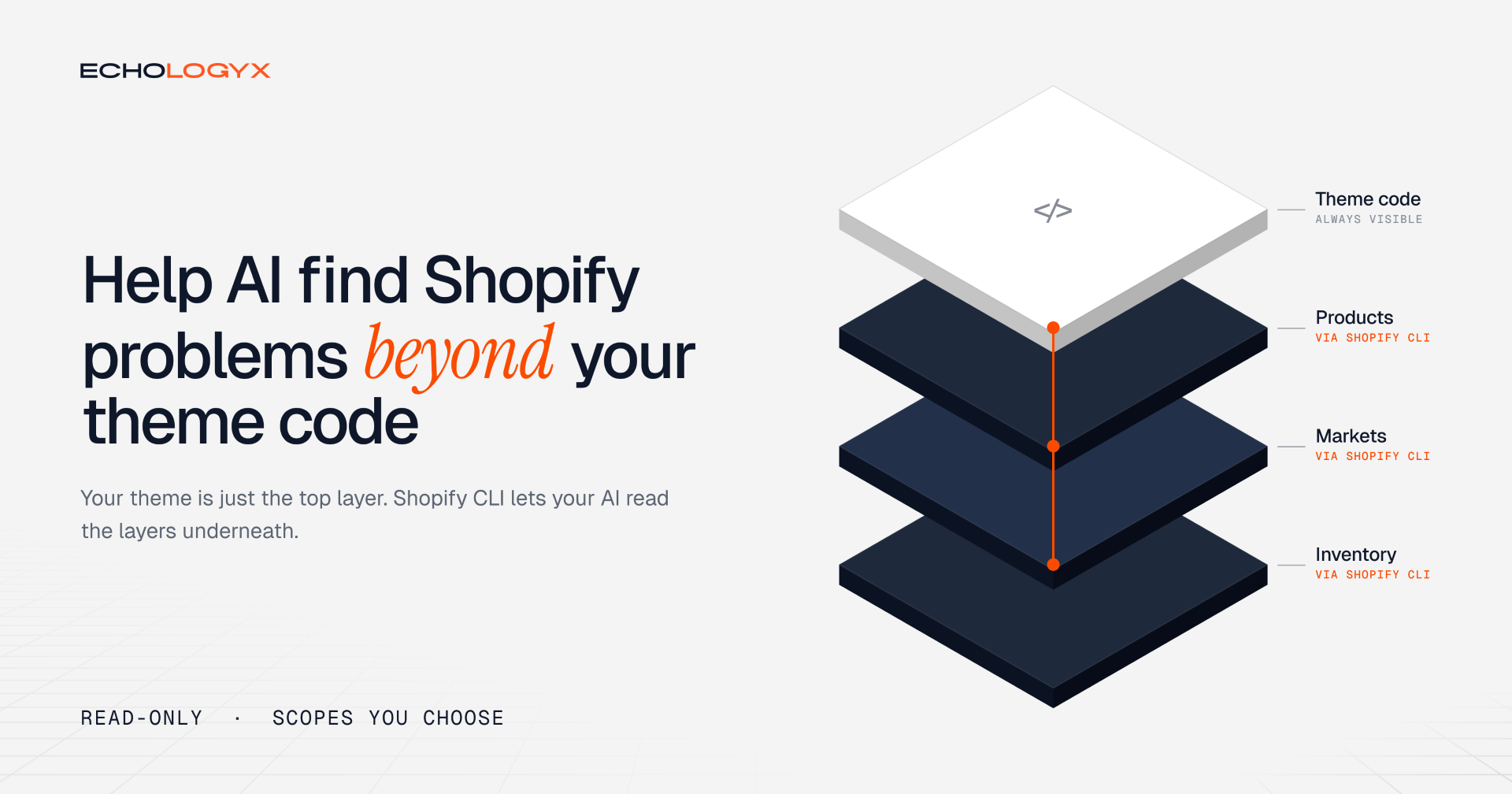

A product looks fine in Shopify Admin, but customers in one country can’t buy it. Your AI assistant checks the theme code. The cause could be a store setting it cannot see.
Shopify CLI lets your AI assistant inspect store data with permissions you choose.
For developers and store owners working with a coding assistant that can run terminal commands. Requires Shopify CLI and permission to approve store access.
Theme code is only half of your store
A Shopify storefront is made of two things: theme code, and store configuration. Your AI assistant can read every line of the code. The configuration lives in Shopify Admin: products, variants, metafields, metaobjects, markets, inventory locations, shipping zones, theme settings and translations. The assistant can’t see any of them.
So, when something breaks, it guesses. It suggests code changes for what are really data problems, asks you for screenshots of Admin, or “fixes” code that was never broken. You lose hours, and sometimes sales, chasing the wrong cause.
Compare the two answers:
Code only: “This might be a market setting. Check Settings → Markets and the product’s availability.”
With store access: “Product X isn’t included in the UK market, and its only stock is at a location that doesn’t ship to the UK.”
The first answer leaves the work for you. The second one tells you exactly what to fix.
Connect your store
Run:
shopify store auth \ --store your-store.myshopify.com \ --scopes read_products,read_themes,read_markets,read_metaobjects
Shopify opens an approval screen for its CLI Connector App. Review the requested access before approving. The CLI saves a credential locally so the assistant can query the store.
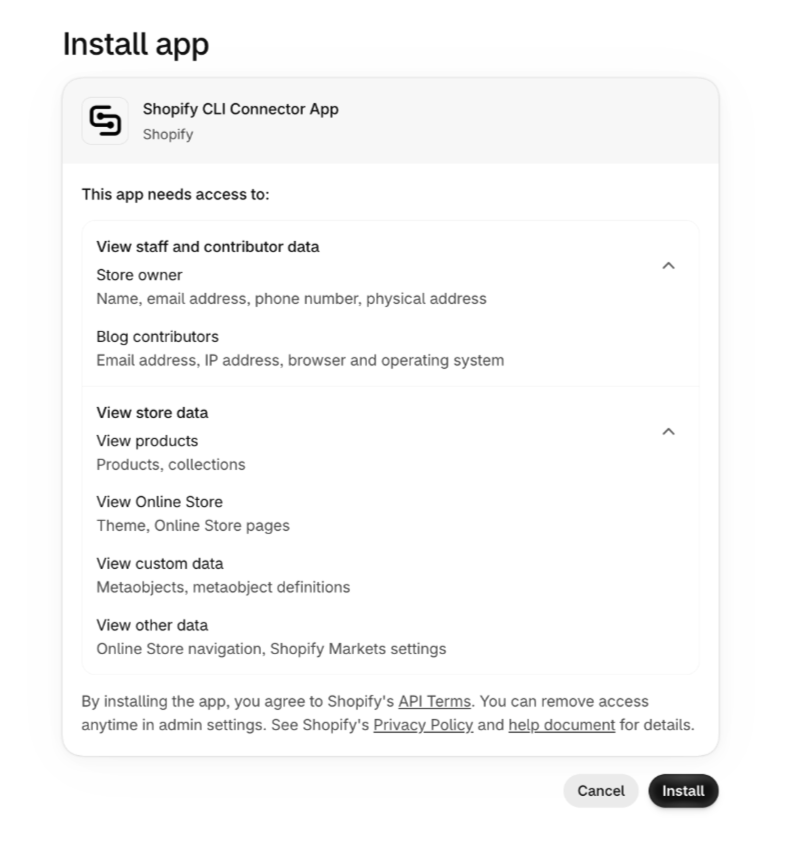
Add scopes only when a task needs them. Here is what the assistant can check, and the scopes each check needs:
| Symptom | What the assistant checks | Scopes |
|---|---|---|
| A product can't be bought in one country | Product status, market availability, stock at locations that serve that market, shipping zones | read_products, read_markets, read_inventory, read_shipping |
| A section renders empty on some products | Whether the metafield or metaobject the template expects exists and has a value | read_products, read_metaobjects, read_metaobject_definitions |
| The dev theme looks different from live | Theme settings and template assignments in both themes | read_themes |
| Text shows in the wrong language | Missing translations for a locale, which locales are published | read_translations, read_locales |
| A menu link goes to a 404 | Menu items that point to deleted or unpublished pages and collections | read_online_store_navigation, read_content, read_products |
| A collection is missing products | Smart collection rules compared with product tags, types and vendors | read_products |
Every one of these is read-only. The assistant finds the cause, and you decide what to change.
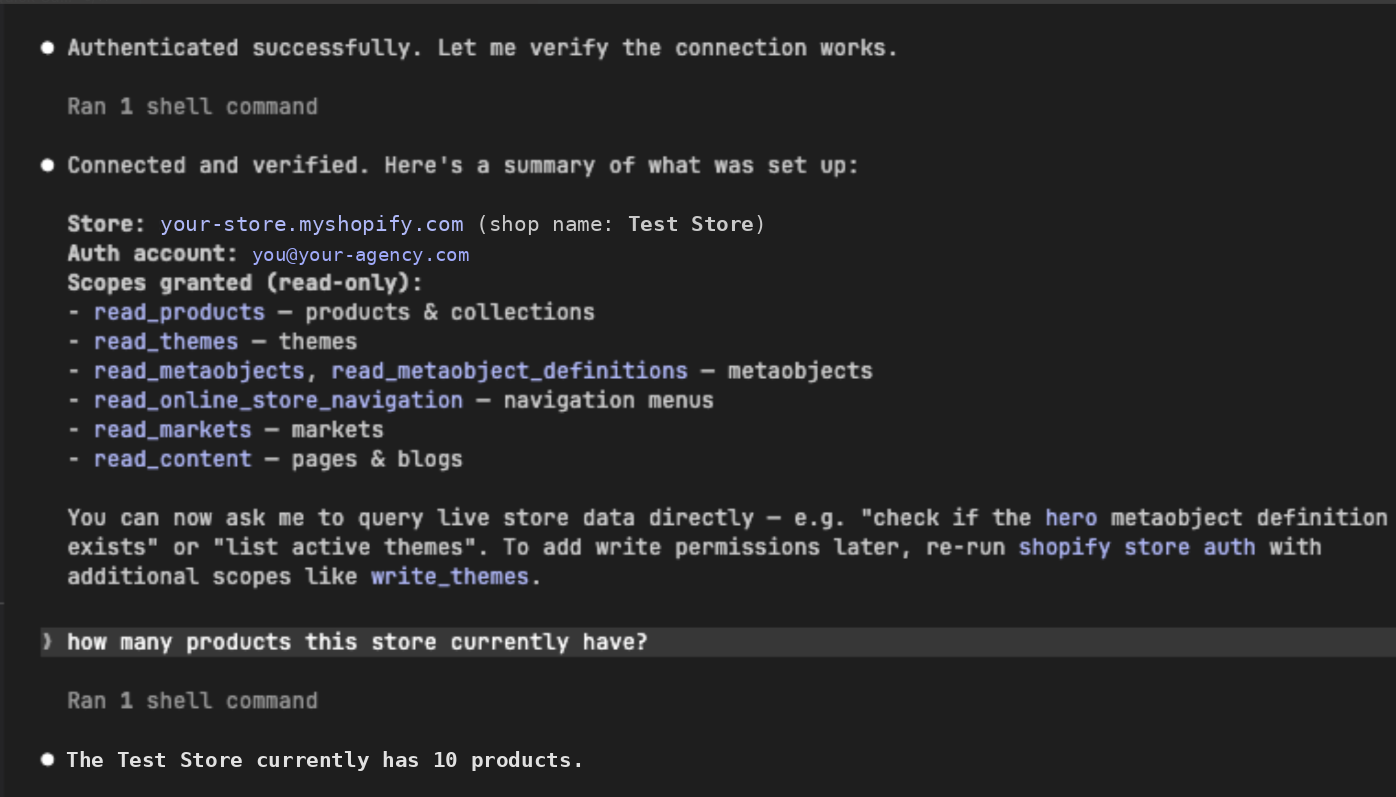
After approving, the assistant confirms the connection and its read-only scopes, then answers a plain question with live store data.
Why we use the CLI
We manage several stores. Shopify’s MCP connector requires switching the active store; the CLI saves a connection for each, with permissions we choose.
We name the store in each prompt and verify the target before making changes. MCP is convenient for one-store tasks; the CLI fits our multi-store workflow better.
Start with one question
Try this:
On your-store.myshopify.com, inspect product [name] and report its status, variants, and theme template assignment. Read only. Confirm which store you checked, show the evidence, and explain anything you couldn’t verify.
The useful result is an answer tied to actual store data. Ask the assistant to distinguish confirmed findings from possible explanations.
For teams managing several stores, the CLI supports saved connections for each. Use shopify store auth list to check them and verify the target store before every change.
Keep changes deliberate
Two things stop the assistant from changing your store. First, read-only scope: Shopify rejects any writing. Second, shopify store execute refuses to change anything unless the --allow-mutations flag is added. But the assistant can add that flag itself, so it isn’t an approval step. If you grant write scopes, you are the approval step.
If a fix requires editing store data:
- Ask for the cause and supporting evidence.
- Review the exact store, records, and proposed changes.
- Approve only that change, then verify the result.
Keep credentials out of prompts and shared files. Read-only access still exposes the data it permits the assistant to retrieve.
Start with one inspection. Check its answer against Shopify Admin before expanding access.